
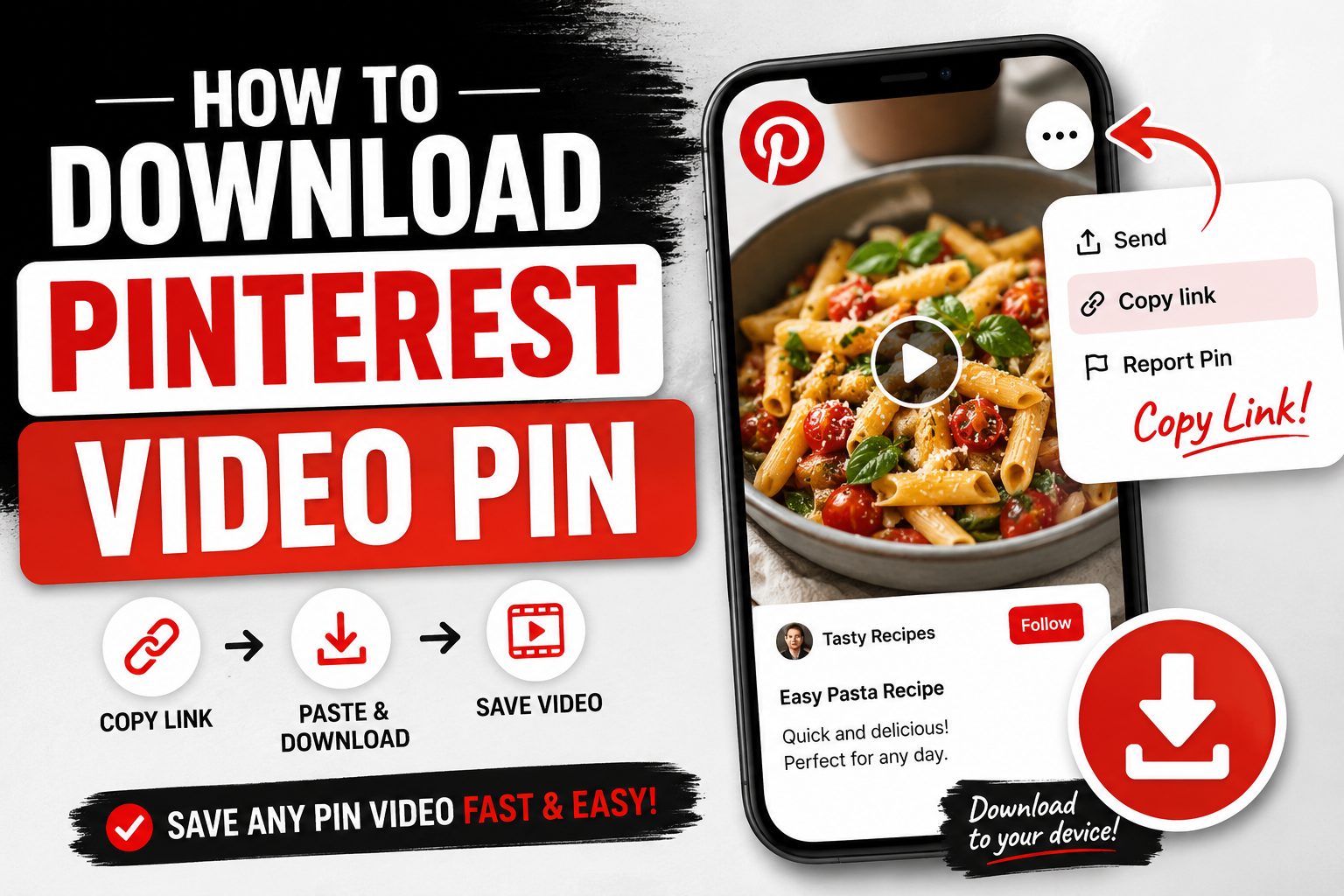
How to Download a Pinterest Video Pin
Pinterest is full of videos worth keeping — recipes you want to actually follow while cooking, tutorials, workout routines, DIY projects — but the platform doesn't give you a straightforward way to save them to your device. You can "save" a pin to a board, but that just keeps it inside Pinterest. If you want the actual video file on your phone or computer, you need a different approach.
Why does saving a Pinterest pin not download it
Pinterest's save button bookmarks the pin to one of your boards so you can find it again inside the app — it doesn't give you an offline copy. That distinction trips a lot of people up, especially when they're trying to save a recipe video to follow along later without needing an internet connection in the kitchen. To actually get the file, you need the direct video link and a tool that can pull it.
Step-by-step: downloading a Pinterest video pin
Open the pin with the video you want to save.
Tap the three dots on the pin and select "Copy link."
Go to Video Save Now and paste the link into the download box.
Choose your quality, if more than one option is shown.
Download the video directly to your phone or computer.
Downloading Idea Pins (multi-page pins)
Idea Pins are Pinterest's multi-page format — often used for step-by-step tutorials or recipes with several stages. These work a little differently since they're not a single video file, but the same copy-link approach applies, and you'll typically get either the full sequence as one video or the option to grab pages individually.
Saving a whole board's worth of videos
If you've got a board full of video pins — recipe collections are a common one — downloading them one at a time adds up fast. There isn't a single-click "download entire board" option on most tools, but working through the pins individually with the same copy-paste process still gets you there, just with a bit more patience for a large board.
Turning a Pinterest video into a GIF
Since a lot of Pinterest videos are short loops to begin with — a quick recipe step, a hair tutorial move — converting the download into a GIF instead of a full video file can make more sense if you're planning to share it or embed it somewhere that doesn't support video.
Getting just the audio
Less common than with TikTok or Instagram, but if a Pinterest video has narration or music you want on its own — a recipe voiceover, a workout cue track — the audio-only option skips the video and gives you just the sound.
Why downloads sometimes fail on Pinterest
Pinterest occasionally re-pins or embeds video from other platforms rather than hosting the original file itself, which can make certain pins harder to pull directly. If a download doesn't work on a specific pin, try tracking down the original source video (Pinterest often links to it) and downloading from there instead.
Why People Download Pinterest Videos
Recipes you actually want to follow hands-on. This is probably the single biggest use case for Pinterest video downloads specifically. Nobody wants to keep unlocking their phone and reopening the Pinterest app with flour-covered hands mid-recipe — having the video saved locally means it plays reliably without needing to navigate back into the app or worry about a spotty kitchen wifi signal cutting out mid-step.
Tutorials and DIY projects. Home improvement tutorials, craft projects, hair and makeup tutorials — Pinterest is full of short instructional videos that people want to reference while actually doing the project, which works far better with a downloaded file you can pause and rewind freely than a stream that depends on a live connection.
Building a personal inspiration library. A lot of Pinterest usage is about collecting ideas for later — a wedding, a home renovation, an outfit style. Downloading specific videos (rather than just saving the pin to a board) means you have a lasting personal copy that doesn't depend on Pinterest's own board and pin system remaining intact or the original pin never being removed.
Content that gets removed or re-pinned into obscurity. Pinterest boards get reorganized, pins get deleted, and accounts occasionally get deactivated. If there's a specific video you found valuable, downloading it protects against losing access if the original pin disappears later.
Step-by-Step: Downloading a Pinterest Video (Expanded)
Step 1: Open the pin with the video you want to save.
Step 2: Tap the three dots on the pin.
Step 3: Select "Copy link." This grabs the direct URL to that specific pin.
Step 4: Go to Video Save Now in your browser.
Step 5: Paste the link into the download box.
Step 6: Choose your quality if more than one option is presented.
Step 7: Download the video directly to your phone or computer.
Saving a Pin vs. Downloading a Pin: An Important Distinction
This is the single most common point of confusion with Pinterest specifically, so it's worth spelling out clearly. Pinterest's own "Save" button — the one built into the app for adding a pin to one of your boards — only bookmarks that pin inside Pinterest itself. It does not give you an actual video file you can watch offline, transfer to another device, or use outside the app. You can save a hundred recipe videos to a board and still not have a single one available if you lose internet access, since "saved" in Pinterest's sense just means "easier to find again within the app," not "downloaded to your device."
To get an actual offline file, you need the direct video link and a dedicated downloader tool — the process covered throughout this guide.
Downloading Idea Pins (Multi-Page Pins)
Idea Pins are Pinterest's format for multi-page content — often used for step-by-step recipes, tutorials, or a sequence of styling looks. Because they're not a single continuous video file the way a regular pin is, tools handle them a little differently: some render the entire sequence as one combined video, while others let you grab individual pages separately. Either way, the starting point is the same — copy the pin's link and paste it into the downloader.
Downloading an Entire Board's Worth of Videos
If you've built a board full of video pins — a recipe collection is the most common example — downloading them one at a time does add up. There isn't currently a single-click way to grab an entire board in one action with most tools; working through each pin individually is still the practical approach, though front-loading the process by copying every pin's link into a notes app first, then working through the downloads in one sitting, makes it considerably less tedious than switching back and forth for each individual video.
Converting a Pinterest Video to a GIF
Because a lot of Pinterest videos are naturally short, looping clips to begin with — a single recipe step, a quick hair styling move, a short before-and-after transition — converting the download into a GIF rather than keeping it as a full video file can make more sense in some situations, particularly if you're planning to embed or share it somewhere that doesn't support standard video playback.
Getting Just the Audio
Less commonly needed than on TikTok or Instagram, but some Pinterest videos do include narration or background music worth saving on its own — a recipe voiceover walking through a technique, a workout video's pacing track. An audio-only download option, where available, skips the video entirely and gives you just the sound.
Common Problems and Fixes
Download doesn't work for a specific pin. Pinterest frequently re-pins or embeds video that actually originates from another platform entirely, rather than hosting the original file itself. If a specific pin won't download, check whether Pinterest links to an original source (often shown directly on the pin) and try downloading from that original source instead.
The pin has been deleted since you found it. Once a pin is removed, its link stops resolving to anything, and there's no way to retrieve it after the fact unless you'd already downloaded it beforehand.
Only a low-resolution option is available. Some Pinterest videos were uploaded at lower resolution to begin with, particularly older pins or ones sourced from other platforms with compression already applied — in these cases, there simply isn't a higher-quality version to retrieve, since a downloader can't improve on the original source quality.
Idea Pin only downloads as a single page. If you need the full multi-page sequence, check whether the tool offers a specific "full sequence" option rather than defaulting to just the first page or a single frame.
Is Downloading Pinterest Videos Legal?
Saving a Pinterest video for personal use — following a recipe hands-on, referencing a tutorial while working on a project, keeping a piece of inspiration for later — is normal, everyday behavior. As with every platform covered in this guide, the actual concern is what happens after downloading: reposting someone's video as your own without credit, using it commercially without permission, or claiming original credit for content you didn't create are the situations that move from ordinary personal use into something that could infringe on the original creator's rights.
Pinterest for Recipe Videos: A Closer Look
Recipe videos deserve their own callout since they're such a dominant use case on Pinterest specifically. Unlike a tutorial you might watch once, a recipe video is something people come back to repeatedly — for the same dish, months or years apart — which makes losing access to it (through a deleted pin, a reorganized board, or a deactivated account) a genuinely frustrating outcome rather than a minor inconvenience. Downloading recipe videos you actually cook from regularly means the instructions stay available regardless of what happens to the original pin, and it also means you're not depending on a kitchen wifi connection holding up through an entire cooking session, which is exactly the kind of moment where a dropped connection is most annoying.
Building a Habit Around Saving Pinterest Content
Because Pinterest content often serves as ongoing reference material rather than something watched once and forgotten, it's worth being deliberate about what you actually download versus what you just leave saved to a board. A useful rule of thumb: if it's something you'll want to follow along with hands-on (a recipe, a tutorial, a project with sequential steps), download it. If it's purely inspirational — something you're just browsing for ideas rather than planning to actively follow — saving the pin to a board is often enough, since you're less likely to need reliable offline access to a video you're just admiring rather than working from. Bookmarking Video Save Now to your phone's home screen makes it a quick, two-tap habit whenever you do decide something's worth an actual download.
Storage and File Management
Pinterest videos tend to be short — most fall somewhere between a few seconds and a couple of minutes — which keeps individual downloads small, typically in the 5-20MB range for HD quality. Even so, if you're building out a large recipe or tutorial collection, it's worth organizing downloads into folders by category (recipes, DIY projects, workouts) rather than letting them pile up in one generic Downloads folder, since Pinterest content specifically tends to get revisited by topic rather than chronologically.
Editing and Repurposing Downloaded Pinterest Videos
Once you have an actual video file, you can trim it to just the part you need, extract a still frame for reference, or combine several saved clips into a single reference reel of your own — useful if you're pulling together, say, several different styling tutorials into one personal lookbook, or combining multiple recipe steps from different sources into your own cooking notes.
Privacy Considerations
A downloader tool that only needs the public pin link — no Pinterest login required — is safer from a privacy standpoint than one asking for your account credentials directly. Be cautious of any tool requesting your Pinterest username and password; a legitimate downloader only needs the link itself, since that's all that's required to retrieve anything already publicly viewable.
A Quick Comparison: Pinterest Video Download Methods
Method: Actually saves a file offline, Watermark-free, Works for Idea PinsRequires InstallBrowser-based tool (like Video Save Now). Yes, Yes, No. Pinterest's native "Save" (to a board)No — bookmark only Yes Yes No Screen recording Yes No (captures UI)YesNo, built-in feature
Frequently Asked Questions
Can I download a video pin from an account I don't follow? Yes, as long as the pin is public, following isn't required to view or download it.
Does downloading notify the person who posted the pin? No — downloading through a browser-based tool works the same as simply viewing the pin, and Pinterest doesn't notify posters when their public content is viewed or saved this way.
Can I download a video that's part of a shared/group board? Yes, if you have access to view the board and its content, the same copy-link process applies as with any other pin.
What if the video was originally from another platform, just re-pinned to Pinterest? In this case, it's often easier to track down the original source (frequently linked directly on the pin) and download it from there rather than from the Pinterest re-pin, especially if the re-pin is lower resolution than the original.
Is there a difference in downloading on mobile versus desktop? No — the process is identical either way, using pinterest.com in a browser on a desktop instead of the app.
Saving a pin to a board keeps it in Pinterest — it doesn't get it onto your device. Copy the actual video link and paste it into Video Save Now to get a real, offline copy you can watch anytime, no wifi required.