
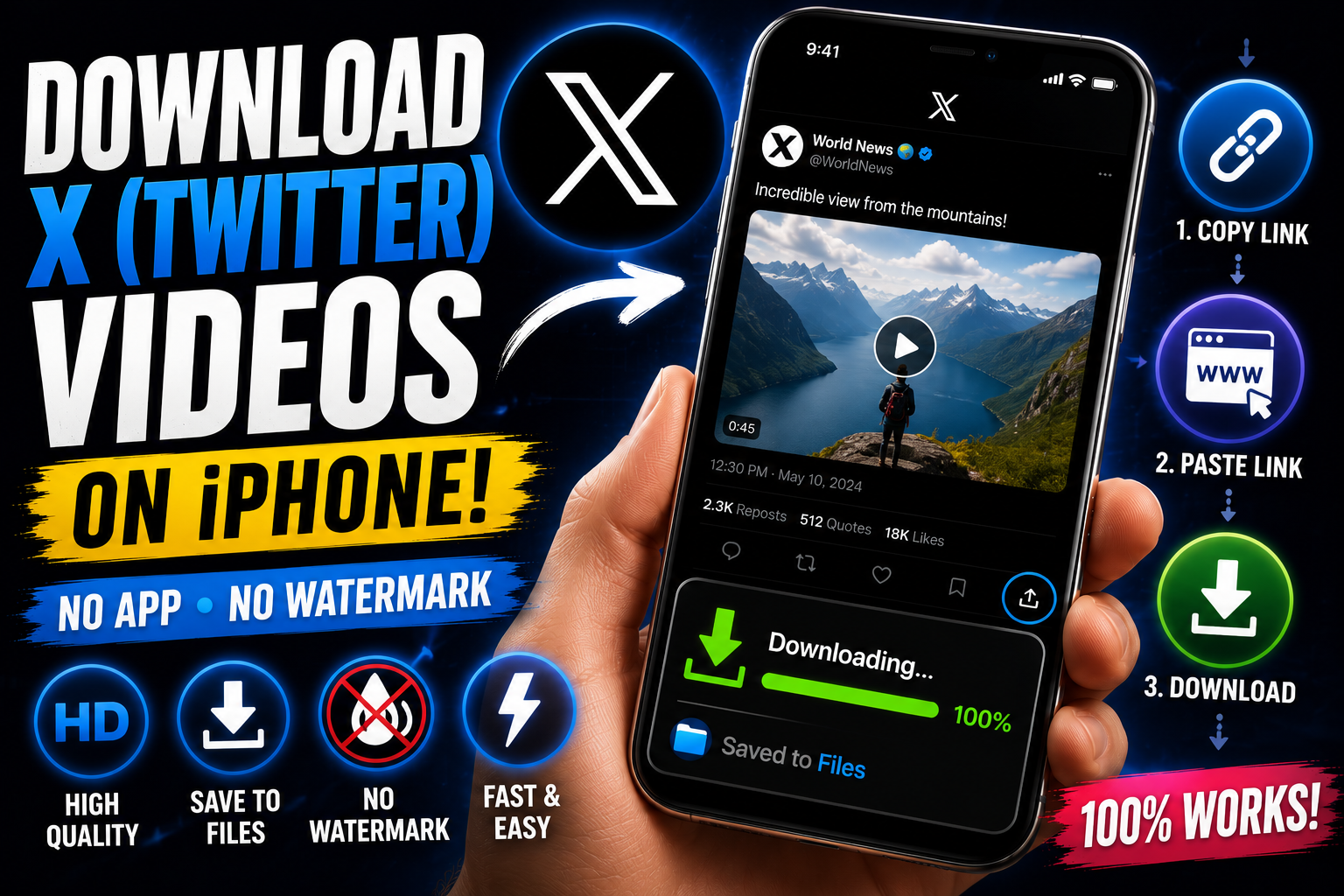
How to Download a Video from X (Twitter) on iPhone
X has never made it easy to save a video from someone's post. There's no download button anywhere in the app, and unlike Instagram or TikTok, there isn't even an official "save" option buried in a menu somewhere. If you've found a video on X you want to keep — before it gets deleted, before the account goes private, or just to watch later without wifi — you need a separate tool to actually pull the file.
Why X doesn't offer a native download option
X's app is designed around keeping content inside the platform, and videos are streamed directly rather than offered as downloadable files. That's a deliberate choice, not an oversight, so don't expect a hidden setting to unlock it. The workaround is the same one that works for every platform without a save button: grab the post link and run it through a downloader.
Step-by-step: downloading an X video on iPhone
Find the post with the video you want to save.
Tap the Share icon (the arrow icon under the post) and choose "Copy Link."
Open Video Save Now in Safari and paste the link into the input field.
Select the quality. X videos are often available in more than one resolution — pick the highest one shown for the clearest copy.
Download. The video saves to your Files app or Photos, ready to watch offline.
What about GIFs?
X still has plenty of GIFs floating around in replies and posts, and the same copy-link-and-paste process works for those too. You'll typically get the option to save it as an actual GIF file or convert it to a short MP4, whichever you'd rather have.
Saving a Twitter Space recording
If a Space was recorded and is still available as a playback link, the same approach applies — copy the link to the recording and paste it in. Keep in mind, spaces aren't kept up forever, so if it's something you want, don't wait too long after it ends.
Downloading from a thread with multiple videos
Some threads have a video in nearly every reply. Rather than repeating the process for every single post, copy the links for each video individually — there isn't currently a way to grab an entire thread's videos in one pass, so plan for a few extra taps if there are several clips you want.
Why act fast on X specifically
Posts on X get deleted more often and more suddenly than on most other platforms — accounts go private, get suspended, or the poster just removes something. If there's a video you know you'll want later, it's worth saving it the moment you see it rather than assuming it'll still be there next week.
Is this legal?
Saving an X video for your own offline viewing is normal personal use and isn't something to worry about. As with any platform, redistributing someone else's video as your own or using it commercially without permission is the actual line you shouldn't cross.
Why People Download Videos from X
Content disappears fast on X. Compared to most other platforms, posts on X get deleted, made private, or removed through account suspensions more frequently and more suddenly. A video that's circulating widely one day can be completely gone the next if the poster deletes it, locks their account, or gets suspended. If there's a video you know you'll want to reference or rewatch, downloading it the moment you see it is genuinely the safer approach on this platform specifically.
News, commentary, and citizen journalism. X remains one of the primary places where breaking news footage, on-the-ground event coverage, and citizen journalism first surfaces, often before any other outlet has picked it up. Journalists, researchers, and just generally curious people frequently want to save this kind of footage before it's taken down or the account posting it disappears.
Saving clips for later reference. Threads with embedded video explainers, tutorials, or commentary are common on X, and saving the video portion for later — separate from having to scroll back through a long thread to find it again — is a common practical need.
Repurposing for other content. Commentary videos, meme compilations, and reaction content frequently pull clips originally posted on X, which requires downloading the source video first.
Step-by-Step: Downloading an X Video (Expanded)
Step 1: Find the post with the video you want to save.
Step 2: Tap the Share icon (the arrow icon beneath the post).
Step 3: Select "Copy Link" from the share menu that appears.
Step 4: Open Video Save Now in your browser.
Step 5: Paste the link into the input field.
Step 6: Choose the highest quality option available — X often hosts videos at more than one resolution, and the best available option gives you the clearest copy.
Step 7: Download. The file saves to your device, ready for offline playback.
Downloading GIFs from X
X still hosts a large volume of GIFs in posts and replies, and the same copy-link approach works for these as well. Depending on the tool, you'll typically be offered the choice of saving it as an actual looping GIF file or converting it into a short MP4 video — useful if you'd rather have something that plays with sound-off looping behavior consistent with how GIFs are typically used, versus a standard video file.
Saving Twitter Spaces Recordings
If a Space (X's live audio feature) was recorded and a playback link remains available afterward, the same download approach applies — copy the link to the recording and paste it into the tool the same way you would for a video. Keep in mind that Space recordings aren't kept available indefinitely in every case, so if there's a recording you want, it's worth downloading it sooner rather than assuming it'll still be available later.
Handling Threads with Multiple Videos
Some threads embed a separate video in nearly every reply — a multi-part tutorial, a series of clips documenting an event, a compilation thread. There currently isn't a way to grab every video in a thread in a single action; each one needs its own link copied and pasted individually. If you're working through a video-heavy thread, it's worth scrolling through first and copying every link into a notes app, then working through the downloads in one sitting rather than repeating the full process from scratch for each individual post.
Common Problems and Fixes
"This post is unavailable" error. This usually means the post has been deleted, the account has been suspended, or the poster has made their account private since you first saw the video. There's no way to retrieve content once it's actually been removed.
Video downloads, but the quality looks poor. Make sure you're selecting the highest resolution option offered — X sometimes defaults to a lower-quality stream unless a higher option is explicitly chosen.
Link copied from a quote-tweet doesn't work. If a video was originally posted by one account and you're viewing it through someone else quoting or retweeting it, try navigating to the original post directly and copying the link from there instead of the quote-tweet wrapping it.
Can't access a video from a protected/private account. If you don't already have access to view a protected account's posts, a downloader can't retrieve their content either — this mirrors X's own privacy settings and isn't something a downloader tool should be able to bypass.
Why You Should Act Fast on X Specifically
It's worth repeating this point because it's genuinely more relevant on X than almost anywhere else covered in this guide: content removal happens faster and more unpredictably here than on Instagram, TikTok, or YouTube. Accounts get suspended abruptly, sometimes without warning, and posters delete content quickly if it starts drawing unwanted attention. If there's a video you're even considering wanting to keep, the safest move is downloading it immediately rather than bookmarking the post and coming back later, since "later" is far less guaranteed on this platform than most others.
Is Downloading X Videos Legal?
Saving an X video for your own personal, offline viewing — keeping a piece of news footage for reference, saving a clip before an account disappears, rewatching something later without needing to scroll back through your timeline — is standard personal use and isn't something to be concerned about. As with every platform in this guide, the actual concern is downstream use: redistributing someone else's video as your own without credit, using it commercially, or reposting it in a way that competes with the original poster's own reach are the situations where you'd cross into genuinely problematic territory.
X Videos for Research and Documentation
Journalists, researchers, and fact-checkers frequently need to preserve X content as evidence — a claim made in a post, footage of an event, a statement later deleted or edited. For this kind of use, downloading the original video (rather than relying on a screenshot or a secondhand description) matters because video retains details a screenshot can't: audio, motion, and timestamps visible within the footage itself. Saving the actual file, ideally along with a note of when it was downloaded and the original post's link, creates a more reliable record than trusting the content will still be accessible if you need to reference it again later.
Building a Habit Around Saving X Content
Given how quickly content moves and disappears on X specifically, the most common regret isn't downloading too much — it's assuming a post will still be there next week and finding out it isn't. A simple habit worth building: any time you see a video you think you might want later — a piece of breaking footage, a clip worth referencing, something genuinely funny or informative — download it right then. Adding Video Save Now to your phone's home screen turns this into a quick two-tap process rather than something that requires searching for a website each time.
Storage and File Management
X videos vary a lot in length — a quick reaction clip might be 15 seconds, while an embedded news segment or interview could run several minutes. As a rough guide, expect around 10-20MB per minute of HD video. If you're regularly saving news footage or event coverage for research or archival purposes, it's worth periodically moving older downloads to a computer or cloud storage rather than letting them accumulate on your phone indefinitely.
Editing and Repurposing Downloaded X Videos
Once a video exists as an actual file rather than something only playable inside the X app, you can trim it, extract a still frame, combine it with other footage, or repurpose it for commentary or analysis elsewhere. This matters especially for journalists, researchers, and commentary creators who regularly work with source footage from X — having the original file rather than a screen recording preserves detail that matters when footage is being examined closely, like verifying a timestamp, a location detail, or specific visual evidence within the clip.
Privacy Considerations
A downloader tool that only needs the public post link — no X login required — is safer from a privacy standpoint than one asking for your actual account credentials. Be wary of any tool requesting your X username and password directly; a legitimate downloader only needs the link itself, since that's all that's required to retrieve anything already publicly viewable.
A Quick Comparison: X Video Download Methods
MethodWatermark-freeQualityWorks for SpacesRequires InstallBrowser-based tool (like Video Save Now)YesOriginal, highest availableYes, if recording availableNoScreen recordingNo (captures UI)Reduced (double-compressed)Yes, audio onlyNo, built-in featureThird-party appsInconsistentVariesRarelyYes
Frequently Asked Questions
Can I download a video from an account I don't follow? Yes, as long as the account is public, following isn't required to view or download their video content.
Does downloading notify the original poster? No — downloading through a browser-based tool works the same as simply viewing the post, and X doesn't notify posters when their public content is viewed or saved this way.
Can I download a video embedded in a news article that links back to X? Yes, if the article embeds the actual X post, you can typically find the original post (often by clicking through the embed) and copy its link the normal way.
What happens if the account gets suspended after I've already downloaded the video? Nothing — once you've saved the file, it's yours regardless of what happens to the original post or account afterward.
Is there a difference in downloading on mobile versus desktop? No, the process is the same either way — the only difference is where the downloaded file lands on your device afterward.
X won't hand you a download button, but that doesn't mean the video's out of reach. Copy the post link, paste it into Video Save Now, and you'll have the file saved to your iPhone in seconds.